The qBittorrent app from qbittorrent.org doesn’t open on a Mac the first time. macOS blocks the downloaded disk image first, and then qBittorrent itself:
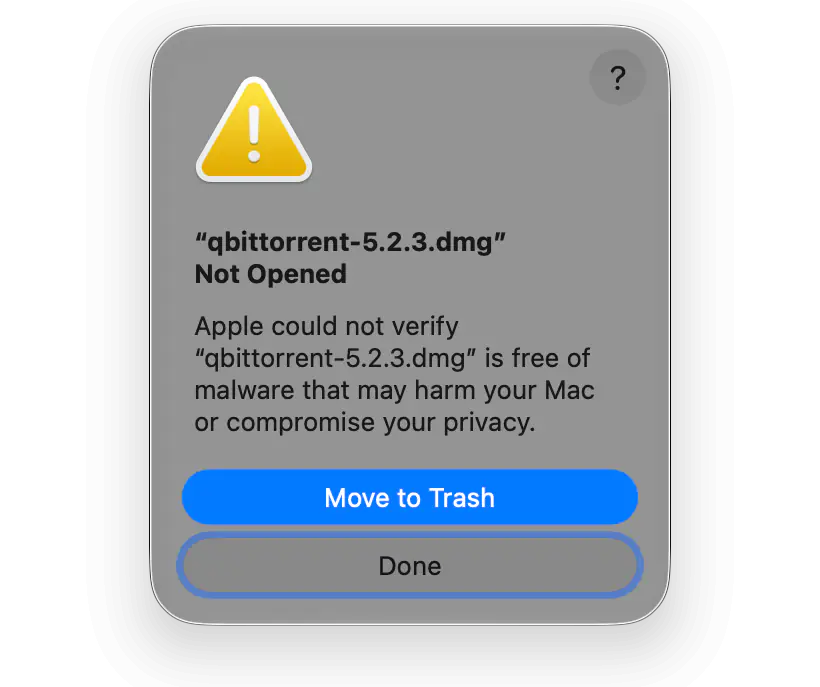
- “qbittorrent-5.2.3.dmg” Not Opened. Apple could not verify “qbittorrent-5.2.3.dmg” is free of malware that may harm your Mac or compromise your privacy.
- “qBittorrent” Not Opened. Apple could not verify “qBittorrent” is free of malware that may harm your Mac or compromise your privacy.
Sometimes macOS says instead that “qBittorrent” is damaged and can’t be opened, and you should move it to the Trash.
If you downloaded qBittorrent from qbittorrent.org, none of these messages means it’s malware. Here’s why macOS shows them and how to open qBittorrent safely.
- Why macOS blocks qBittorrent
- macOS 15 or later: “Apple could not verify”
- macOS 14: Control-click and Open
- “qBittorrent is damaged and can’t be opened”
- qBittorrent that opens without warnings
Why macOS Blocks qBittorrent
macOS opens files from the internet without warnings only if they’re notarized: the developer signs them with a Developer ID certificate and sends them to Apple for an automated malware check. Neither the qBittorrent disk image nor the app inside it is signed with a Developer ID or notarized. The qBittorrent team itself calls its macOS version “barely supported”, because it has no active macOS developers. Gatekeeper can’t confirm who made qBittorrent, so it blocks it until you allow it yourself. For the same reason, Homebrew disabled its qBittorrent cask in September 2026.
Before you allow qBittorrent, make sure you downloaded it from qbittorrent.org. Many sites offer qBittorrent for Mac, and you can’t be sure their copies are unmodified.
macOS 15 or Later: “Apple Could Not Verify”
Since macOS Sequoia, Control-clicking a file and choosing Open no longer gets past Gatekeeper. You have to allow the disk image and the app one after the other in System Settings. These steps are the same on macOS 15, 26 and 27.
- Open the downloaded qbittorrent-5.2.3.dmg. In the warning, click Done.
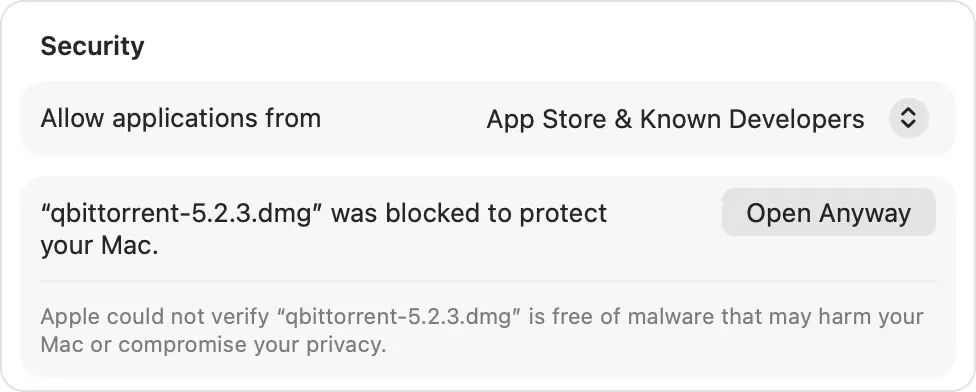
- Open System Settings → Privacy & Security and scroll down to Security. Next to “qbittorrent-5.2.3.dmg” was blocked to protect your Mac, click Open Anyway. The button stays there for about an hour after you try to open the file.
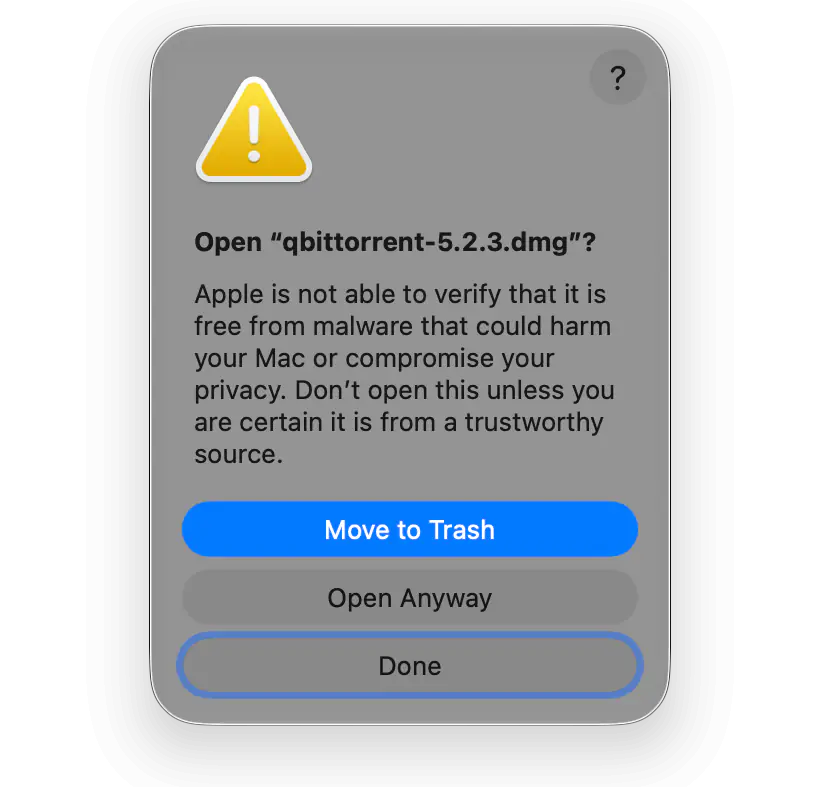
- macOS warns you again. Click Open Anyway, not the blue Move to Trash button above it.
- Confirm with Touch ID or your administrator password. The disk image opens.
- Drag qBittorrent to the Applications folder and open it. macOS says “qBittorrent” Not Opened — on macOS 27, “qBittorrent.app”. Allow it the same way: click Done, then Open Anyway in Privacy & Security, Open Anyway in the warning, and confirm with Touch ID or your password.
macOS remembers your choice only for this copy of qBittorrent. After every update, you’ll have to allow the new disk image and app the same way. Apple describes these steps in Safely open apps on your Mac.
macOS 14: Control-Click and Open
On macOS Sonoma, the warning reads differently — for example, that the developer cannot be verified. You can still open qBittorrent from Finder:
- In the Applications folder, Control-click qBittorrent and choose Open.
- Click Open in the warning.
The Open Anyway button in System Settings → Privacy & Security works on macOS 14 too.
“qBittorrent Is Damaged and Can’t Be Opened”
This warning has no Open Anyway button. Usually the download was corrupted, or the app’s signature doesn’t match its files. Move qBittorrent from the Applications folder to the Trash, download the DMG from qbittorrent.org again and install it.
If the message comes back, you can remove the quarantine attribute: macOS adds it to everything downloaded from the internet, and Gatekeeper checks only files that have it.
xattr -dr com.apple.quarantine /Applications/qBittorrent.appDo this only for qBittorrent you downloaded from qbittorrent.org. After this command, macOS no longer checks the app at all.
qBittorrent That Opens Without Warnings
Lizard installs qBittorrent 5.2.4 in one click. It’s built from the unmodified qBittorrent source code, signed with a Developer ID and notarized by Apple, so macOS opens it without any warnings — after installation and after every update. qBittorrent runs in the background, and you manage it from a native Mac app.
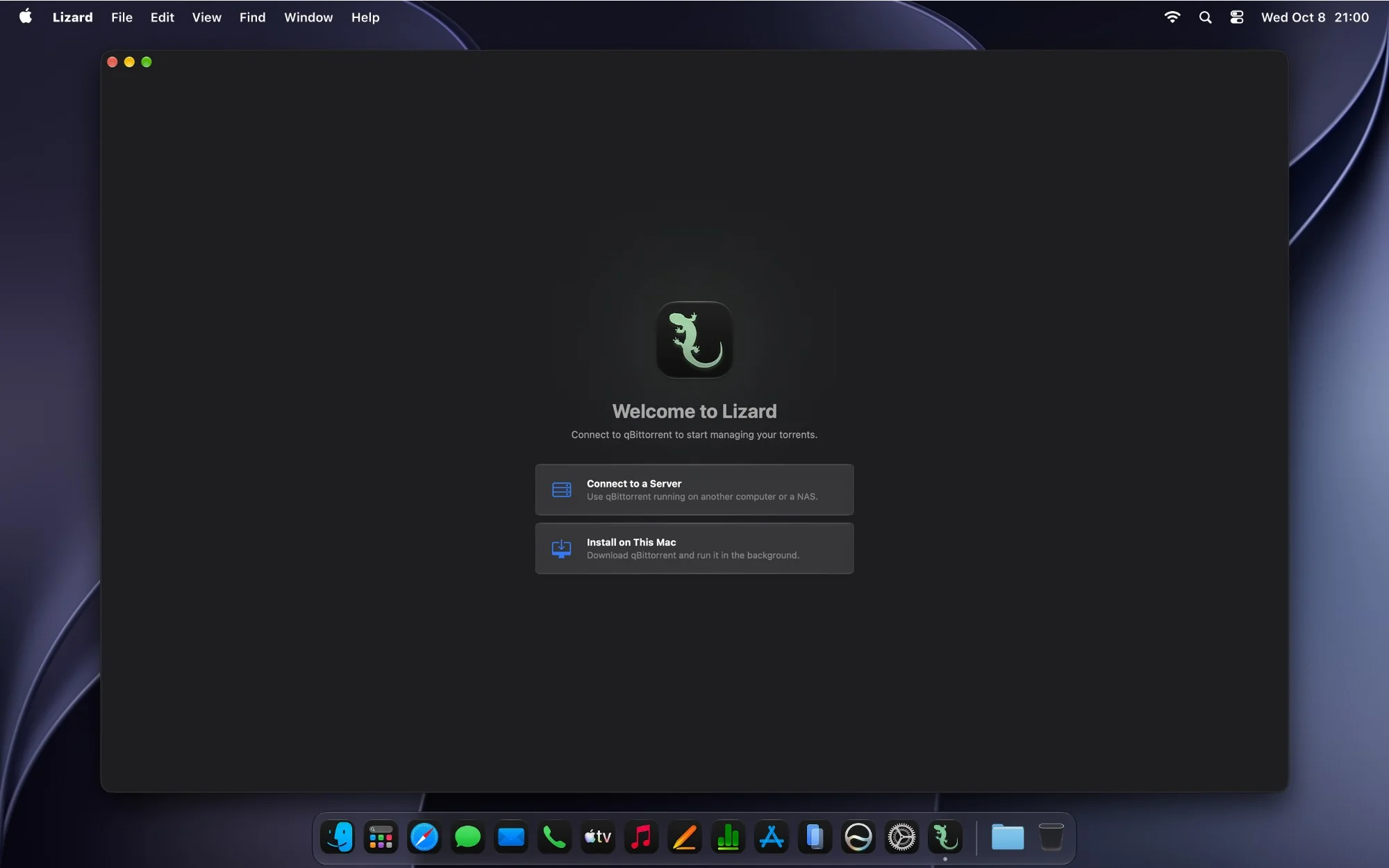
Lizard needs macOS 14 or later and is free to download. You can move your torrents from the qBittorrent app without downloading them again — see Moving from the qBittorrent app. RSS feeds and torrent search aren’t in Lizard yet: if you rely on them, keep the qBittorrent app for now.